Showing posts with label for sketchup 7. Show all posts

SketchUp and CAD - Importing and Preparations (Video)

There are varied approaches to using SketchUp with CAD files. This video is the 1st of 3 videos that present one method we suggest as it is quick and creates a good clean SketchUp model.

In this video we import a CAD plan, group and lock it, delete extra layers and create a unique layer for the floor plan and create scenes to toggle the floor plan visibility on and off.


SketchupFurnitureModels
Share:

SketchUp script clips #1: Setup and basic ideas


 In this series of posts, I will be exploring how one can create scripted geometry in SketchUp. Traditionally, this has been more the realm of programs like Rhino. And justifiably so. Rhino is NURBS-based and can create and modify curved geometry much better than SketchUp. However, SketchUp is an easy-to-use program for working with polygon-mesh-based geometry. It also has a built-in scripting language (Ruby) and best of all – it’s free. So if you want to script SketchUp to automate small tasks or to create interesting geometry, then this may be a good series of posts to follow.
Share:

SketchUp Plugins: Extruding and Offsettin Curved Faces

The new sketchup plugin! Extruding and Offsettin Curved Faces!
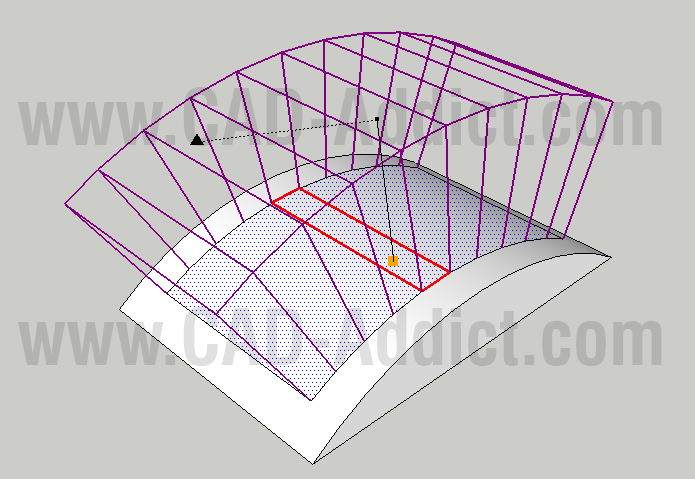
The Joint Push Pull plugin created by Fredo on SketchUcation.com is a useful tool to use the push pull command on curved surfaces. There are times that you need to do this and the original tool provided by SketchUp will not work on surfaces if they have even a slight curve to them. Joint Push Pull solves this dilemma.
Share:

Laser Scans in Google SketchUp

Pointools has just announced the availability of a new plug-in for Google SketchUp. This would seem to be quite a statement about the level of demand for point cloud data by Google SketchUp customers.
Share:

Amsterdam adds another dimension in Google Earth


For those of you who have not had the pleasure of visiting the beautiful city of Amsterdam for yourself, I’m happy to say that Google Earth now offers the next best thing: Amsterdam in 3D.
Share:

Mover for Sketchup

Share:

DrawMetal

Metalwork Design Tools

DrawMetal™ provides plugins (extensions) for Google SketchUp® that draw a variety of spirals, curves and tapered shapes (tapered extrusions).

Share:

Creating a Spring - free spring plugin

The Spring Plugin allows you to create springs or coils of any length, pitch, diameter and gauge; using a simple dialog box to input the required dimensions. Springs can be used in a variety of engineering, architectural and sculptural applications. To get the free Spring Plugin, click the download link below and follow the on-screen instructions.
Share:

Free models

FREE Chair
FREE Model chair
Click to download
Share:

Updated FREE models for sketchup

Now bring to you comletely free models to download for sketchup,updated weekly!
FREE MODELS on sketchup furniture models!

Consider Donate for more free models...
Share:

Popular Posts

Google SketchUp is software that you can use to create 3D models of anything you like.On this blog you can find mostly furniture 3d models. sketchup, 3d models , sketchup models, sketchup components, .skp models, sketchup model , free sketchup models , furniture models , 3d models

Followers

Category

Recent Posts