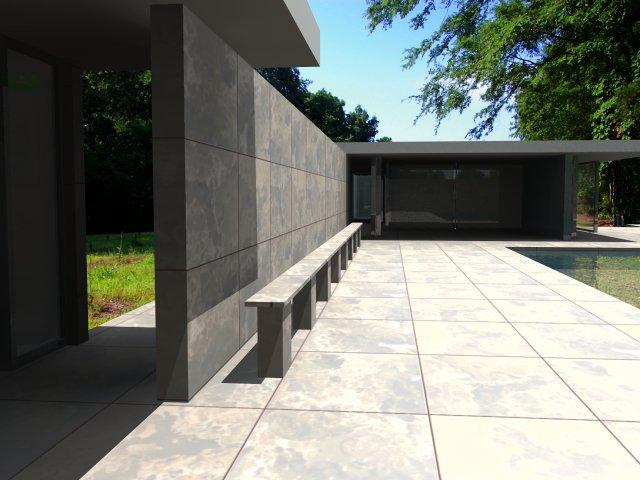
In this series of posts, I will be exploring how one can create scripted geometry in SketchUp. Traditionally, this has been more the realm of programs like Rhino. And justifiably so. Rhino is NURBS-based and can create and modify curved geometry much better than SketchUp. However, SketchUp is an easy-to-use program for working with polygon-mesh-based geometry. It also has a built-in scripting language (Ruby) and best of all – it’s free. So if you want to script SketchUp to automate small tasks or to create interesting geometry, then this may be a good series of posts to follow.
Showing posts with label sketchup 8. Show all posts
SketchUp script clips #1: Setup and basic ideas
Sketchup3:58:00 AM.skp, 3d, for sketchup, for sketchup 7, free, free plugins, interior, news for sketchup, publisher, sketchup 6, sketchup 8, sketchup 8 models, sketchup 8 plugins
1 comment
In this series of posts, I will be exploring how one can create scripted geometry in SketchUp. Traditionally, this has been more the realm of programs like Rhino. And justifiably so. Rhino is NURBS-based and can create and modify curved geometry much better than SketchUp. However, SketchUp is an easy-to-use program for working with polygon-mesh-based geometry. It also has a built-in scripting language (Ruby) and best of all – it’s free. So if you want to script SketchUp to automate small tasks or to create interesting geometry, then this may be a good series of posts to follow.
SketchUp Plugins: Extruding and Offsettin Curved Faces
Sketchup4:54:00 AMfor sketchup, for sketchup 7, free plugins, sketchup 8, sketchup 8 plugins, sketchup plugin, sketchup tricks
1 comment
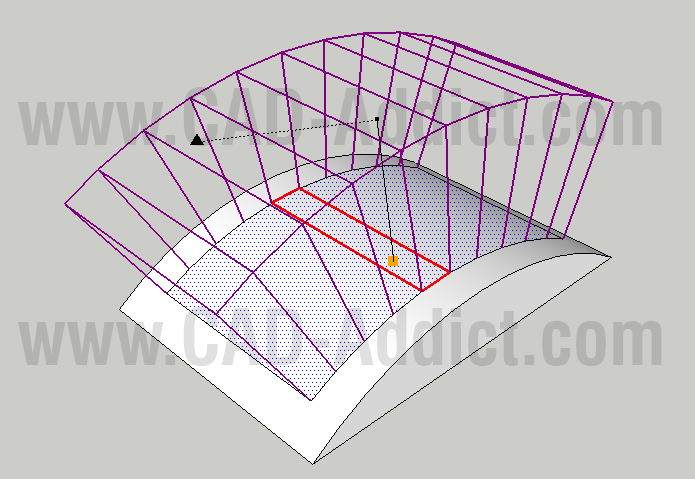
The new sketchup plugin! Extruding and Offsettin Curved Faces!The Joint Push Pull plugin created by Fredo on SketchUcation.com is a useful tool to use the push pull command on curved surfaces. There are times that you need to do this and the original tool provided by SketchUp will not work on surfaces if they have even a slight curve to them. Joint Push Pull solves this dilemma.
Organic modeling with the Artisan plugin
Sketchup9:56:00 AMphotorealistic render, plugins, rendering, sketchup 8, sketchup 8 plugins, sketchup plugin
No comments
SketchUp plugin wizard Dale Martens (a.k.a. Whaat) recently released an amazing and incredibly useful organic modeling toolset called Artisan. Based on Dale’s popularSubdivide & Smooth tools, Artisan is perfect for people who want to use SketchUp to model organic shapes and terrain features. Artisan includes a set of “deformation” tools that allow you to sculpt, smooth, flatten, pinch and apply textures just like you would with a brush.
Eric Lay modeled Patrick Beaulieu's "Bobby Bubble" character, then rendered him (her?) with Twilight Render.Amsterdam adds another dimension in Google Earth
Sketchup9:53:00 AMfor sketchup 7, making cutlist in sketchup, sketchup 6, sketchup 8, sketchup 8 models, sketchup 8 plugins, sketchup 8 render, sketchup furniture, sketchup render, sketchup tricks
No comments
For those of you who have not had the pleasure of visiting the beautiful city of Amsterdam for yourself, I’m happy to say that Google Earth now offers the next best thing: Amsterdam in 3D.
VRay - Rendering an interior scene (Tutorial)
Part I: Adjusting the GI settings
Step 1. First render1.1. Open the scene (which can be found here).1.2. Assign VRay as the current renderer.Since the default VRay settings are not very well suited for a fast initial preview, we'll make a few quick adjustments before the first render.1.3. Check the Override mtl option in the Global switches rollout, click the button next to it and select a default VRayMtl material.1.4. Set the Image sampler type to Fixed.1.5. Set the resolution to 400 x 325.1.6. Set the Region size in the System rollout to 32 x 32 pixels.1.7. Optionally, you can turn on the Frame stamp to print the render time on the image.1.8. Render the scene:
How to create furniture in Google SketchUp
Sketchup2:44:00 PMindigo render for sketchup, photoshop to sketchup, sketchup 8, sketchup 8 models
No comments
This is begining of a previous story.
I downloaded Google’s SketchUp just to check it out. I was actually thinking of doing some landscaping (figuring out what trees and shrubs to plant and where to plant them on a little piece of barren land I own). But I got a bit distracted and since I want to create a clothes rack of some sort, I thought I’d give it a go.
Final results:
Building a House in Sketchup (Video)
Here is video building a house in sketchup,from begining,even stairs,roof and everything, and some music too :)
Enjoy!
Source YouTube
Enjoy!
Source YouTube
Making your rounded models look better
Sketchup2:51:00 PMfree plugins, photorealistic render, plugins, sketchup 8, sketchup plugin
No comments
When you're working with rounded objects whose edges have been smoothed, it's sometimes hard to make things look good. That's because curved surfaces don't automatically produce a profile edge that helps to differentiate them from the background. You can see what I'm talking about in the images that follow; notice the (what I consider to be) unsatisfying outline of each of the rounded objects below?
Welcome, Google Apps users!
Google Apps recently launched an improvement that made dozens of Google services available to Google Apps users for the first time. As part of this launch, Google SketchUpand 3D Warehouse are now available to our Google Apps users for free with their Apps accounts.
What amazing things sketchup do!
SketchUpArtists has been created and developed for the benefit of professional SketchUp users and CG artists to have a leading data base of information dealing with different
Another SketchUp Renderer Available for Free: IDX Renditioner
Joining the ranks of already available free rendering engines for SketchUp (likeKerkythea and Indigo) is the free version of IDX Renditioner Express.
This is a full featured copy of the main product with the only limitations being a reduced image size (max. 600×480 versus 4096 x 4096 in the full version) and less lighting options.
Although the image size is very small in this free version, it may be worth to give the program a try based on user-friendliness: apparently it is pretty much a one-click renderer.
(alexschreyer.net)
SketchUp Tips and Tricks
This panel of 5 experienced SketchUp users will share tips and tricks to improve your effectiveness with SketchUp.
sketchupbasecamp