SketchUp and CAD - Importing and Preparations (Video)

There are varied approaches to using SketchUp with CAD files. This video is the 1st of 3 videos that present one method we suggest as it is quick and creates a good clean SketchUp model.

In this video we import a CAD plan, group and lock it, delete extra layers and create a unique layer for the floor plan and create scenes to toggle the floor plan visibility on and off.


SketchupFurnitureModels
Share:

Google SketchUp - New Users 1: Concepts (Video)

A great starter video for anyone trying Google SketchUp.


SketchupFurnitureModels
Share:

SketchUp script clips #1: Setup and basic ideas


 In this series of posts, I will be exploring how one can create scripted geometry in SketchUp. Traditionally, this has been more the realm of programs like Rhino. And justifiably so. Rhino is NURBS-based and can create and modify curved geometry much better than SketchUp. However, SketchUp is an easy-to-use program for working with polygon-mesh-based geometry. It also has a built-in scripting language (Ruby) and best of all – it’s free. So if you want to script SketchUp to automate small tasks or to create interesting geometry, then this may be a good series of posts to follow.
Share:

House Builder Google SketchUp Plugin


The House Builder plugin created by Steve Hurlbut and D. Bur on the Ruby Library Depot is a very efficient tool to create a home wood frame construction processes with studs and joists. The plugin allows you to create doors, windows and even roof pitches automatically.
Share:

Phlatscript Google SketchUp Plugin

The Phlatscript plugin created by Mark and Trish Carew of Phlatboyz, LLC is a plugin allowing you to turn SketchUp models into a real life physical model. The plugin converts the SketchUp project into gcode to be produced in a cnc (computer numerical control) plotter. It allows you to create inside and outside cuts, tabs, folds and more. We do not have much experience in CNC plotting but from what we can see, if you have one of these printers than this plugin works really well.
Share:

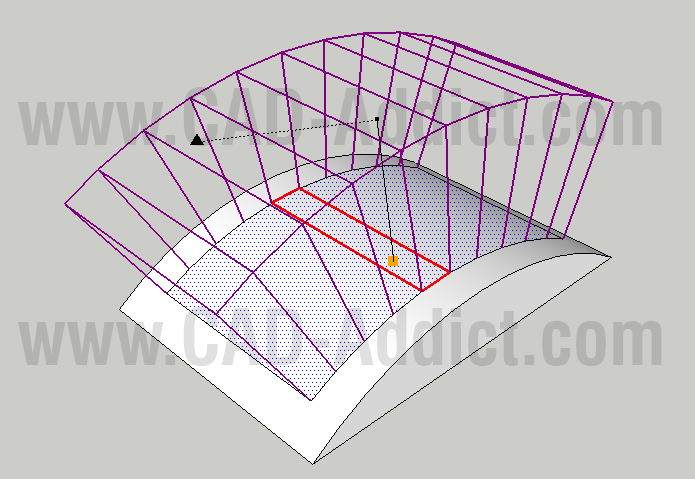
SketchUp Plugins: Extruding and Offsettin Curved Faces

The new sketchup plugin! Extruding and Offsettin Curved Faces!
The Joint Push Pull plugin created by Fredo on SketchUcation.com is a useful tool to use the push pull command on curved surfaces. There are times that you need to do this and the original tool provided by SketchUp will not work on surfaces if they have even a slight curve to them. Joint Push Pull solves this dilemma.
Share:

Laser Scans in Google SketchUp

Pointools has just announced the availability of a new plug-in for Google SketchUp. This would seem to be quite a statement about the level of demand for point cloud data by Google SketchUp customers.
Share:

Organic modeling with the Artisan plugin


SketchUp plugin wizard Dale Martens (a.k.a. Whaat) recently released an amazing and incredibly useful organic modeling toolset called Artisan. Based on Dale’s popularSubdivide & Smooth tools, Artisan is perfect for people who want to use SketchUp to model organic shapes and terrain features. Artisan includes a set of “deformation” tools that allow you to sculpt, smooth, flatten, pinch and apply textures just like you would with a brush.
The toolbar for Dale Martens' Artisan Organic Toolset for SketchUp


Eric Lay modeled Patrick Beaulieu's "Bobby Bubble" character, then rendered him (her?) with Twilight Render.
Share:

Amsterdam adds another dimension in Google Earth


For those of you who have not had the pleasure of visiting the beautiful city of Amsterdam for yourself, I’m happy to say that Google Earth now offers the next best thing: Amsterdam in 3D.
Share:

Great new book: Mastering the Art of 3D Construction Modeling


Dennis Fukai is Director of Research and Development at Insitebuilders. He’s a licensed architect and contractor with more than 25 years of design and construction experience, and a Fulbright Scholar with a PhD in Architecture from the University of California at Berkeley. He taught graduate and undergraduate courses in building construction and architecture for ten years before beginning his publishing company Insitebuilders.com.
You may recognize Dennis’ name; he’s been writing SketchUp books since 2004.Mastering the Art of 3D Construction Modeling is the title of his latest publication, which was released in March of this year.

Share:

Very cool plugin: Proper Animation (video) with tutorial


Somewhere near the top of SketchUp's all-time list of feature requests, there's a big, bold headline that reads ANIMATE THE MOVEMENT OF OBJECTS. It's something all of us have wanted to do at one time or another. Unfortunately, it's also not something we've managed to tackle just yet. And that's why Ruby script plugins for SketchUp are so darn useful.
A while ago, I found out about a nice little plugin called Proper Animation. Watching the teaser video (below) inspired me to model and animate my very own robotic contraption. Shockingly, it only took me about half and hour to do; Proper Animation is refreshingly easy to figure out and use.
Share:

Popular Posts

Google SketchUp is software that you can use to create 3D models of anything you like.On this blog you can find mostly furniture 3d models. sketchup, 3d models , sketchup models, sketchup components, .skp models, sketchup model , free sketchup models , furniture models , 3d models

Followers

Category

Recent Posts